

Real-time VAT
See where VAT stands.
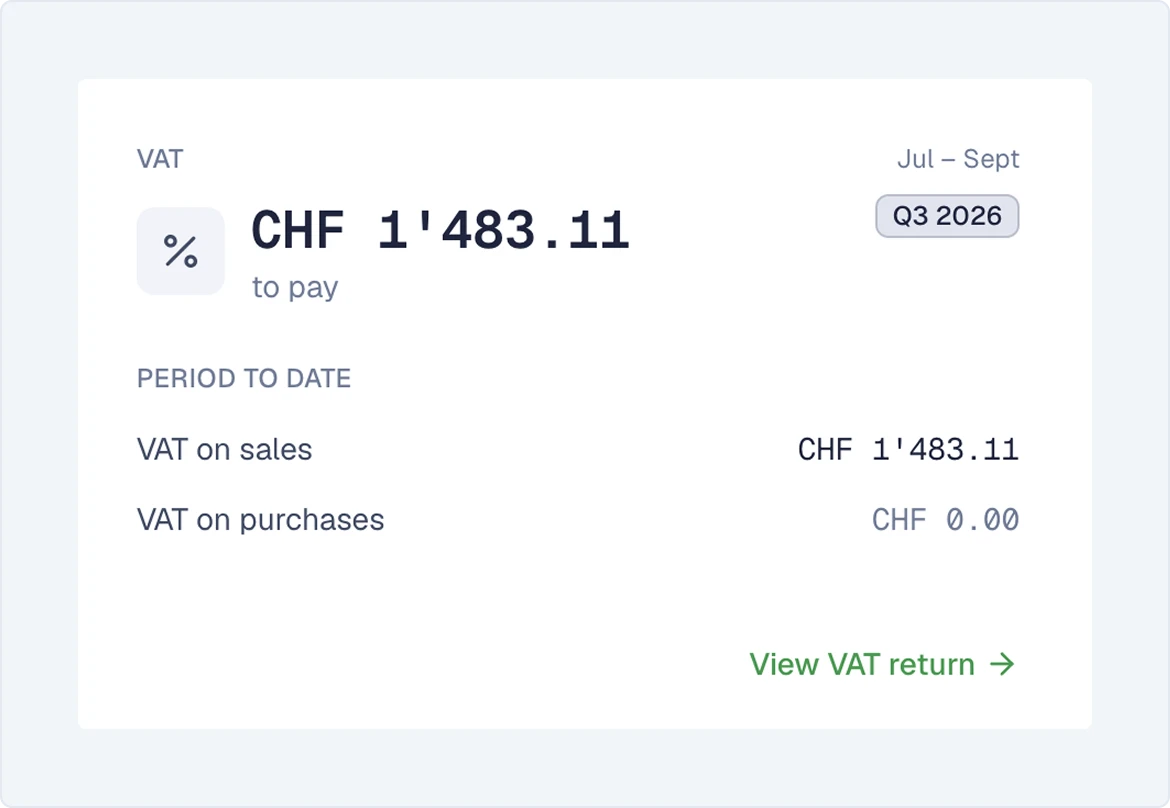
SoloDesk calculates a client's VAT position from the VAT recorded in their books. Review the figures during the quarter, then generate the return file for upload to the federal portal.
The filing record preserves the reported figures. If a late bill or bookkeeping correction changes that quarter’s VAT position, SoloDesk shows what changed and by how much. You can assess the impact and prepare a correction without reconstructing the earlier calculation.
VAT preparation
See how the books build the VAT return.
-
Capture VAT with the accounting.
Document Intelligence reads bills and receipts line by line, identifying VAT rates and amounts. SoloDesk also automatically identifies and books acquisition tax on qualifying services from foreign suppliers.
-
Explain the current VAT position to your client.
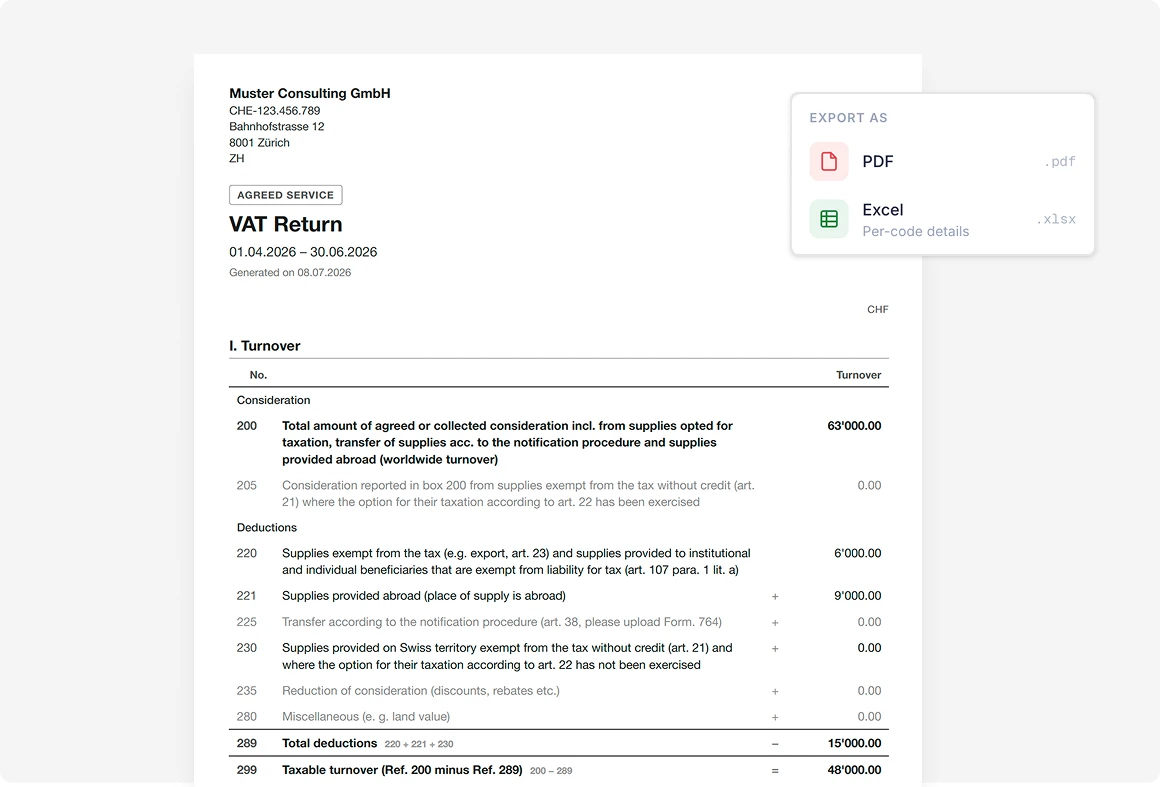
The VAT report shows the current figures from the booked accounting. Use the detailed Excel breakdown by VAT code to explain the totals, with document or payment rows showing the contributing amounts.
-
Review the overall position.
See the VAT totals and the amount payable or reclaimable for the selected period. Download a PDF in the federal VAT return form's structure for your review.
See Document Intelligence
Quarterly filing
Prepare the return file. Keep the filing on record.
-
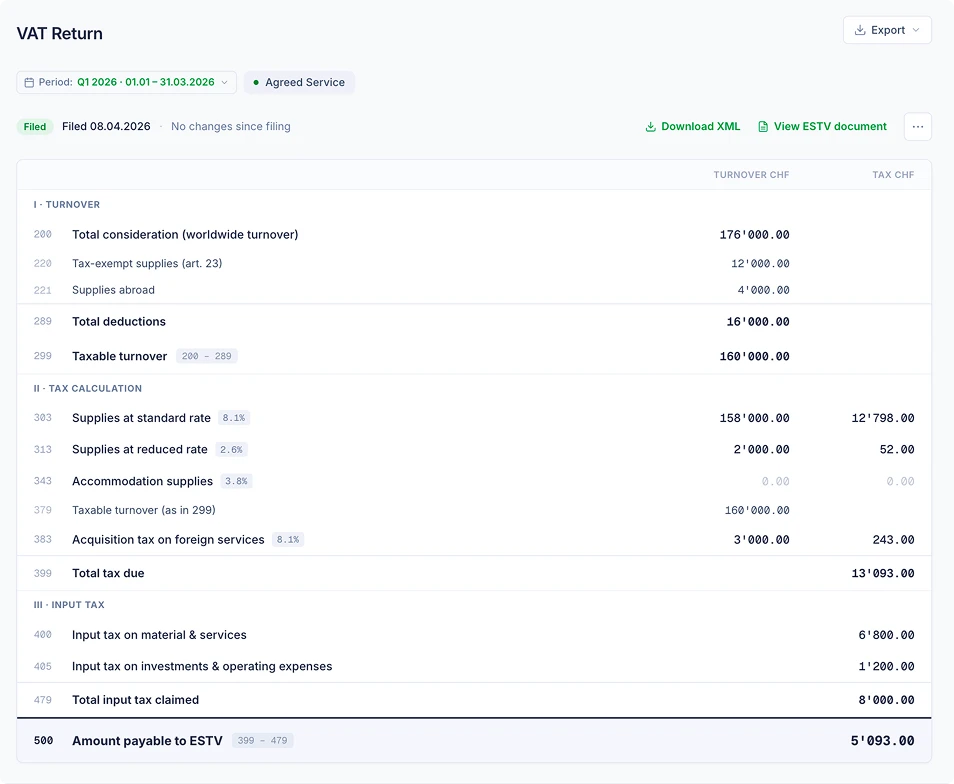
Review the quarter before filing.
See the quarter's filing status and any warnings for unbooked documents or unmatched bank transactions. Decide what to resolve before preparing the file.
-
Generate the file for the federal portal.
SoloDesk creates the XML return file from the figures you have reviewed and saves a snapshot of that version. You upload the file to the federal portal.
-
Check the portal's report against your filing.
Upload the VAT report you download from the federal portal. SoloDesk compares its figures with the saved snapshot. A matching report is registered and the quarter marked as filed; differences are shown for your assessment before registration.
-
Track later changes against the filed figures.
The saved snapshot remains unchanged after filing. If later bookkeeping changes affect that quarter's VAT figures, SoloDesk shows the differences against it.
-
Supported filing: Quarterly returns under the effective method, using Agreed Service or Received compensation.
VAT accounting
Less manual accounting around each VAT filing.
Book the settlement automatically.
When you generate the return file, SoloDesk creates the VAT settlement entry in the client's accounts, dated at the end of the quarter.
Record what is payable or refundable.
SoloDesk extracts the bill or credit note details from the VAT report you upload from the federal portal. On registration, the bill or credit note is recorded in the client's accounts and linked to the filing.
Match the payment or refund.
Match the bank payment or incoming refund to the VAT Report through the usual reconciliation workflow.
See Bank reconciliationChanges since filing
See what changed and how it affects VAT.
-
Spot changes to a filed quarter.
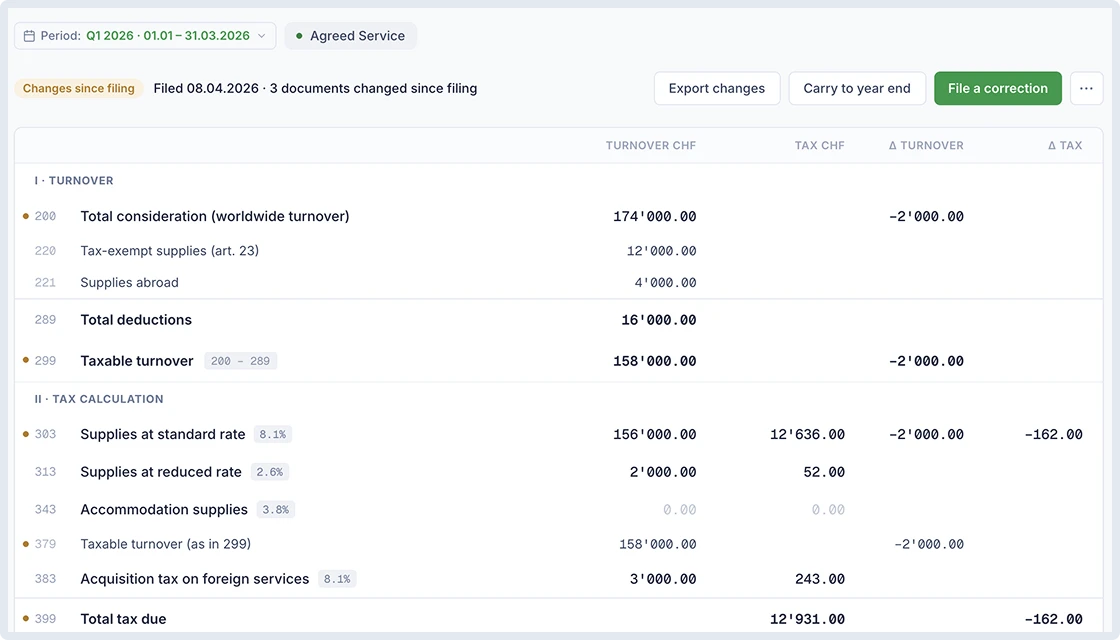
When a late bill or bookkeeping correction changes a filed quarter's VAT figures, SoloDesk flags the quarter for review.
-
See the effect on the return.
The VAT report shows which boxes have changed, the differences in turnover and tax, and the effect on the amount payable or reclaimable.
-
Compare the supporting detail in Excel.
Download the changes workbook to review filed and current figures side by side, with document or payment rows marked as Added, Removed or Changed.
VAT corrections
Correct the quarter. Keep the filing history.
-
Prepare a corrected return.
Generate an XML correction file containing the quarter's full updated figures for upload to the federal portal. SoloDesk saves a new filing version and automatically books the VAT settlement difference.
-
Keep each filing version on record.
Upload the portal's correction report for comparison with the new version. Earlier filing versions and their documents remain available in the history.
-
Record changes for year-end follow-up.
If you choose to address changes at year end, mark them as carried. SoloDesk retains those figures, keeps the differences visible and flags further VAT changes for review.