

Document Intelligence
Spend less time entering bills and receipts.
A PDF invoice, a scanned bill or a photo of a receipt: once uploaded, SoloDesk reads it line by line and creates accounting entries automatically. Documents that need more information or a decision wait for you to resolve them before booking.
You review and validate the resulting entries along with their source documents
Automatic classification
Stop filing your clients' paperwork.
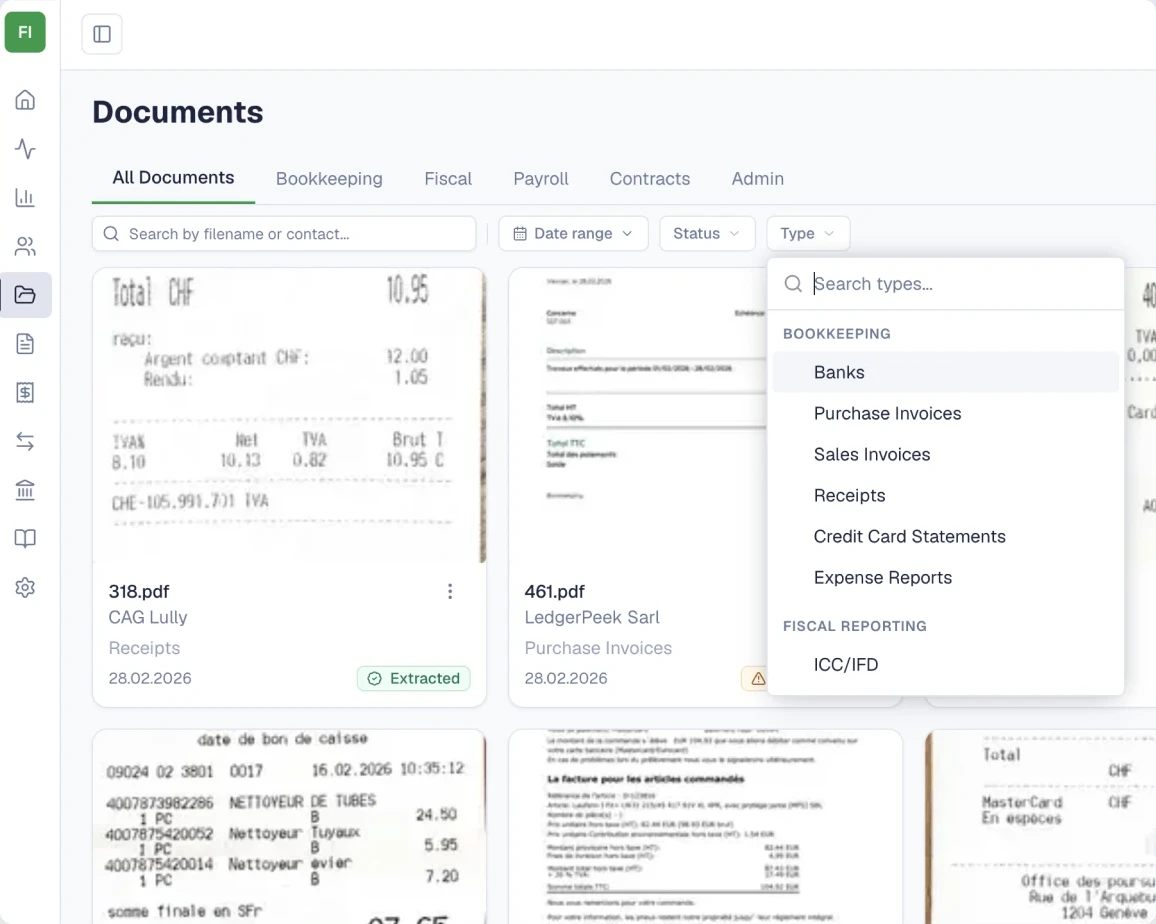
Upload bills, tax letters, payroll documents and contracts into the client's account. SoloDesk identifies their document types and organises them in a filing structure built for Swiss practice.
-
Find documents by their purpose.
Bookkeeping, tax, payroll, contracts and administration each have their place. Documents receive a more specific type, such as a salary certificate, pension statement or VAT document, so you can browse the client's paperwork by category and type.
-
Recognise when one document has two purposes.
An AVS contribution statement with an attached QR-bill can be recognised as both a payroll document and a purchase invoice. The invoice can continue into accounting processing while the document keeps both classifications.
-
Confirm the classifications that need your judgment.
When SoloDesk flags a type for review, it shows the proposed classification and its explanation. You can confirm it or choose the correct type. This is separate from reviewing and validating an accounting entry.
-
Bills and receipts can then continue to line-by-line reading and booking.
Document reading
The accounting detail, read line by line.
-
Capture the lines, VAT and payment details.
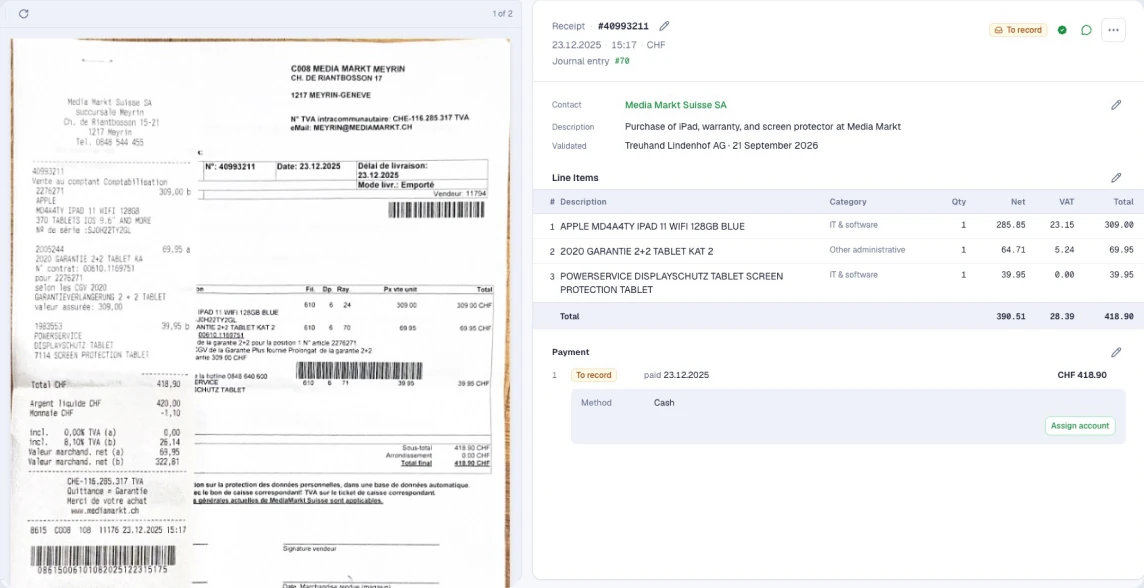
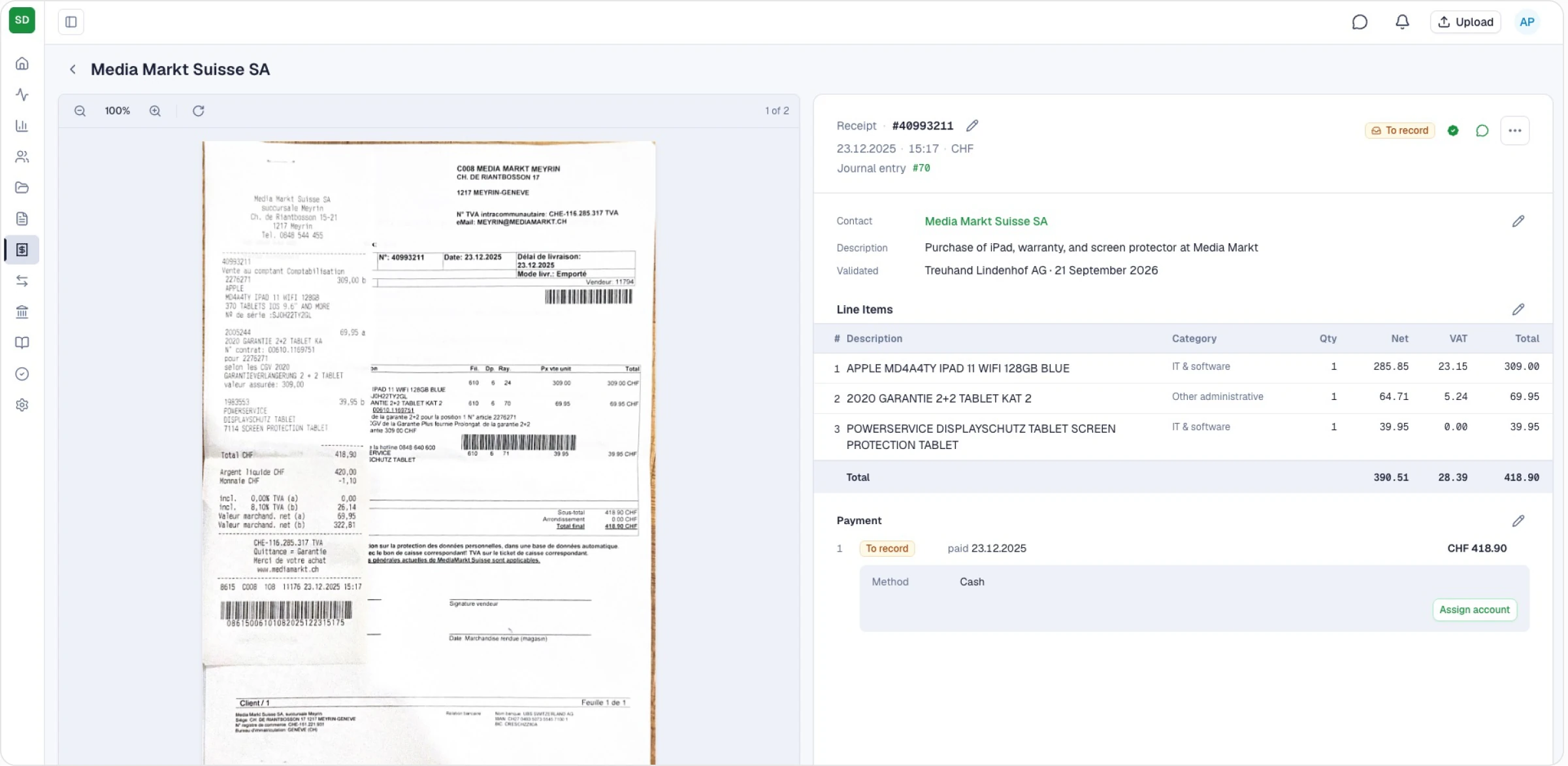
SoloDesk reads dates and amounts from bills and receipts, assigns an expense category to each line and captures its VAT details. Different purchases on the same bill can receive different categories. QR-bill payment details are read too.
-
Connect the document to the supplier.
SoloDesk looks for a matching contact within that client's account using UID, IBAN, name and postal code. Uncertain matches need your confirmation. If no contact matches and enough details are available, SoloDesk can create one automatically.
-
Complete missing details and correct errors.
A faded receipt or an unclear photo can leave information to fill in. You can compare the extracted details with the original, complete what is missing and correct what was read incorrectly.
What needs your attention
The work comes prepared. Your decisions carry it forward.
-
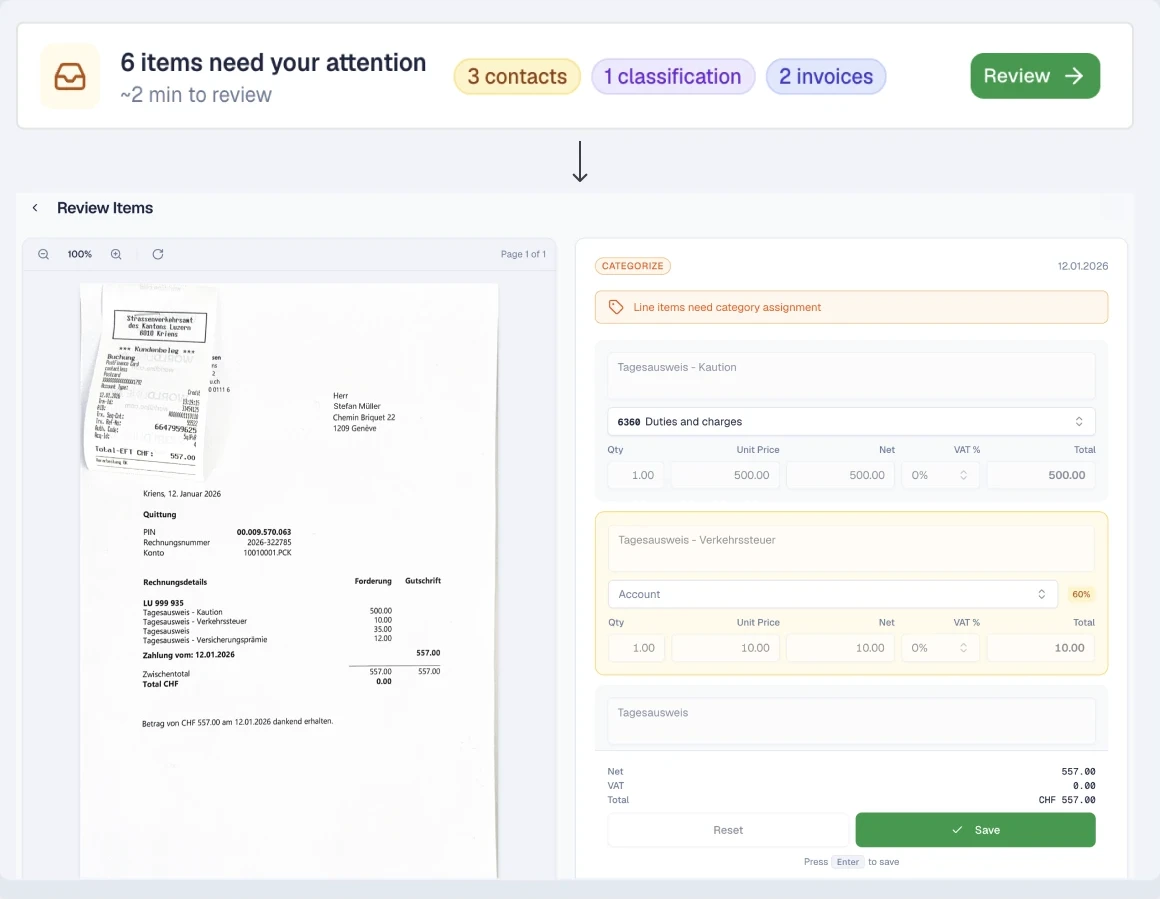
Step in where a decision is needed.
Bills and receipts ready for booking move into the accounts automatically. When SoloDesk needs information or a decision, the document appears in that client's review queue with the outstanding issue identified.
-
Decide with the document and details together.
The review brings together the original document, extracted details and proposed action, so you can assess the issue and confirm, correct or complete the information.
-
Let one decision advance the connected work.
Confirming a supplier links the contact to the bill and lets booking proceed when the remaining requirements are met. If you create a contact, SoloDesk can also use it to match other waiting documents in the same client's account. Your decision is carried into the related records, reducing repeated setup and entry.
-
You review and validate the resulting accounting entries along with their source documents.
See Validation
Across your clients
Different client routines.
A consistent way to handle the paperwork.
Work with each client's routine.
Clients can upload directly to SoloDesk or continue sending documents to your team by email or on paper. Your team uploads the emailed files and scans or photos of the paper documents.
Keep the documents and review together.
Accounting entries created from documents stay linked to their source. When you validate an entry, the stamp records who reviewed it and when, so colleagues can see what has been checked.
See ValidationChoose where to work next.
Your practice home shows processing, reconciliation and validation counts across the clients you can work with, alongside client updates. Open the relevant work in a client's account and continue there.
Explore the Portfolio