

One feed for what needs your review before it enters your books.
Anything that needs your confirmation lands in one feed, pre-filled and grouped by contact. Confirm a document, and its bookkeeping entry posts with it. Over time SoloDesk learns how you handle each contact, and routine documents start posting on their own.
All in sight
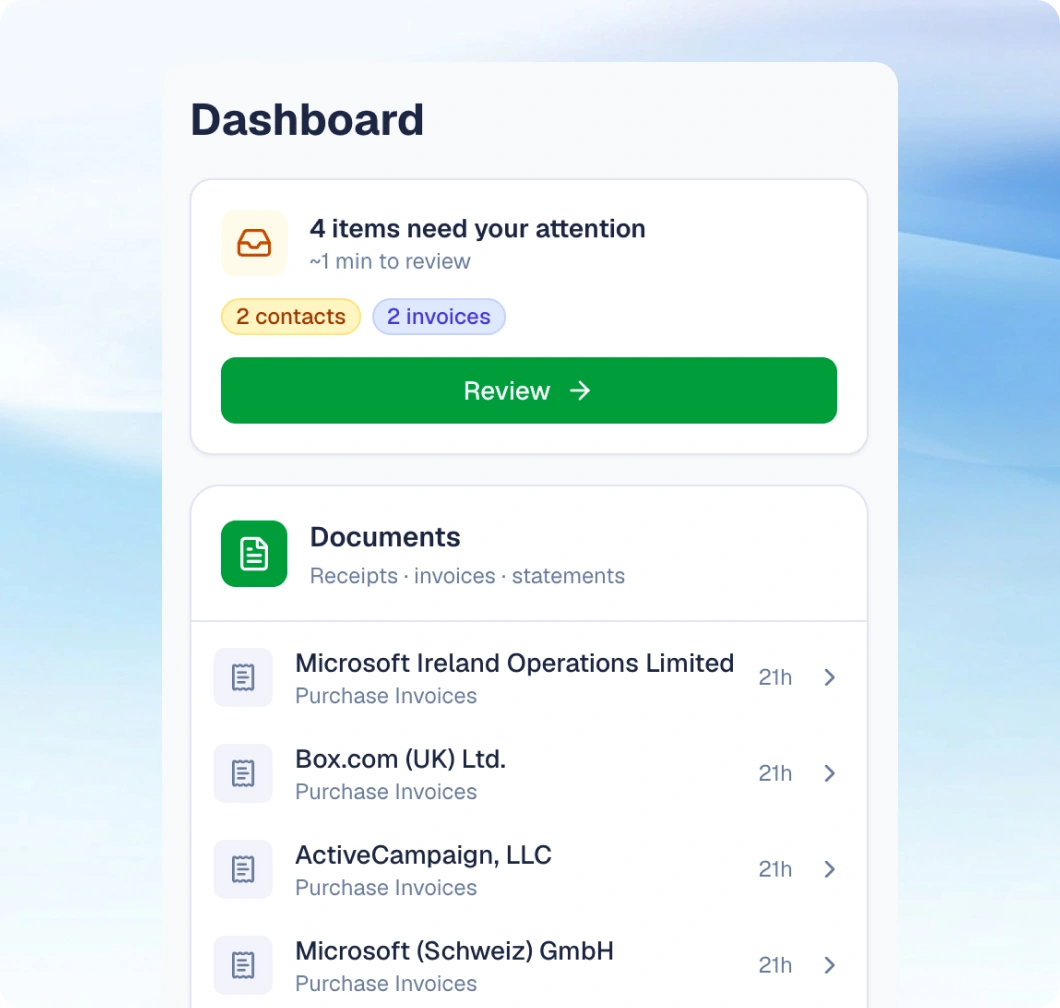
See everything waiting for you, in one place
SoloDesk recognises contacts, reads documents, matches bank transactions, and posts your entries.
-
Sorted by priority, so what needs you most is at the top.
-
Quick to review and act, on your phone or laptop.
-
One queue across every document type: invoices, receipts, and bank statements.
Sorted by confidence
You only see what actually needs you
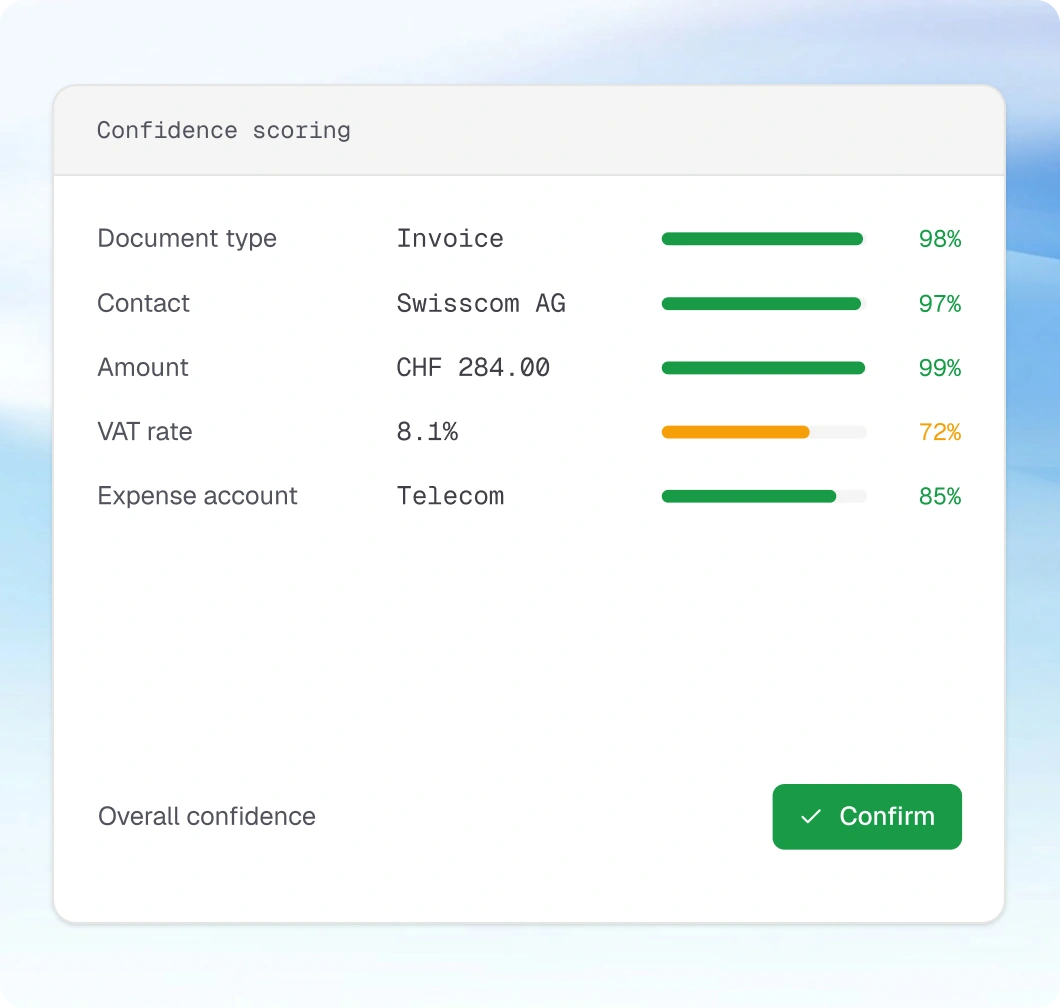
SoloDesk scores its read of every document (the type, the contact, and each field), and that score decides what happens next.
-
High confidence: it posts on its own. When the document type, the contact, and the figures all read clearly, SoloDesk books the entry without it ever reaching your feed. A bank transaction it can match with the same confidence settles the same way.
-
Some fields unsure: confirm in one click. SoloDesk pre-fills the values it's confident of, and you confirm them with a single click
-
Low confidence: you put it right. A poor scan, an unfamiliar contact, or an expense category it can't place waits in the feed for you to complete
Four at once
One confirmation, and everything tied to it follows
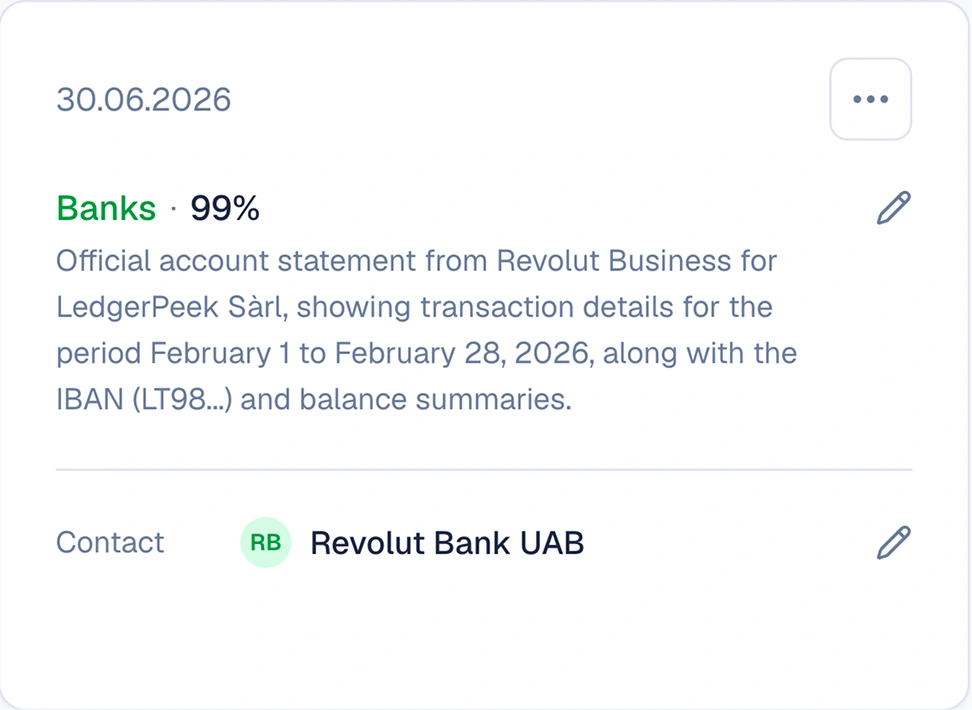
When a document needs your eye, confirming it settles everything attached in the same move:
- The contact and its role are set.
- The bookkeeping entry is posted, with VAT, expense account, and line-item amounts.
- The bank transaction is matched to the document.
- The bill is marked as paid.
And when the sender is new, creating the contact once links the rest of their documents for you.
Learns from you
SoloDesk remembers how every contact is handled. The routine disappears.
- 01Confirm or change
First document from a new contact
SoloDesk pre-fills what it can read and asks you to review and confirm the details. Your answer becomes the rule.
- 02One click
Once a contact is familiar
SoloDesk applies the same accounts and categories as before. It's more confident now but still checks with you. Confirm in one click.
- 03Posts on its own
A consistent contact
Routine documents post on their own, and only the new ones reach you.
Works for everyone who touches your financial documents
-
Your business
Open the Resolution Feed and the pending work is waiting in one queue, ordered by priority. Confirm a document and its entry posts to your books with it. SoloDesk learns how you handle each contact, so routine documents start clearing without reaching you.
-
Your accountant
Clean records, year-round, with the source document behind every entry. Invite your accountant to edit your books directly, from September 2026, on the Mid and Full plans.
-
Your team
Multi-user access lets you work in one shared feed. Each person sees the documents and contacts that need their review and confirms what's in their area.
Available from September 2026